Design2X for Realtors

Listings that sell the lifestyle, not empty rooms.

Start from ordinary listing photos, even iPhone shots. Restyle a room in one of 10 design styles, remove what distracts, and place the pieces you want, while walls, windows, floors and fixtures stay as they are. Then publish a shoppable listing page you can share anywhere.

  • 10 design styles, one click
  • Architecture preserved
  • Remove distracting objects
  • Place specific furniture
  • Plain language + visual guide
  • Shoppable listing page
No credit card needed to create staging materials. Pay only when you publish.
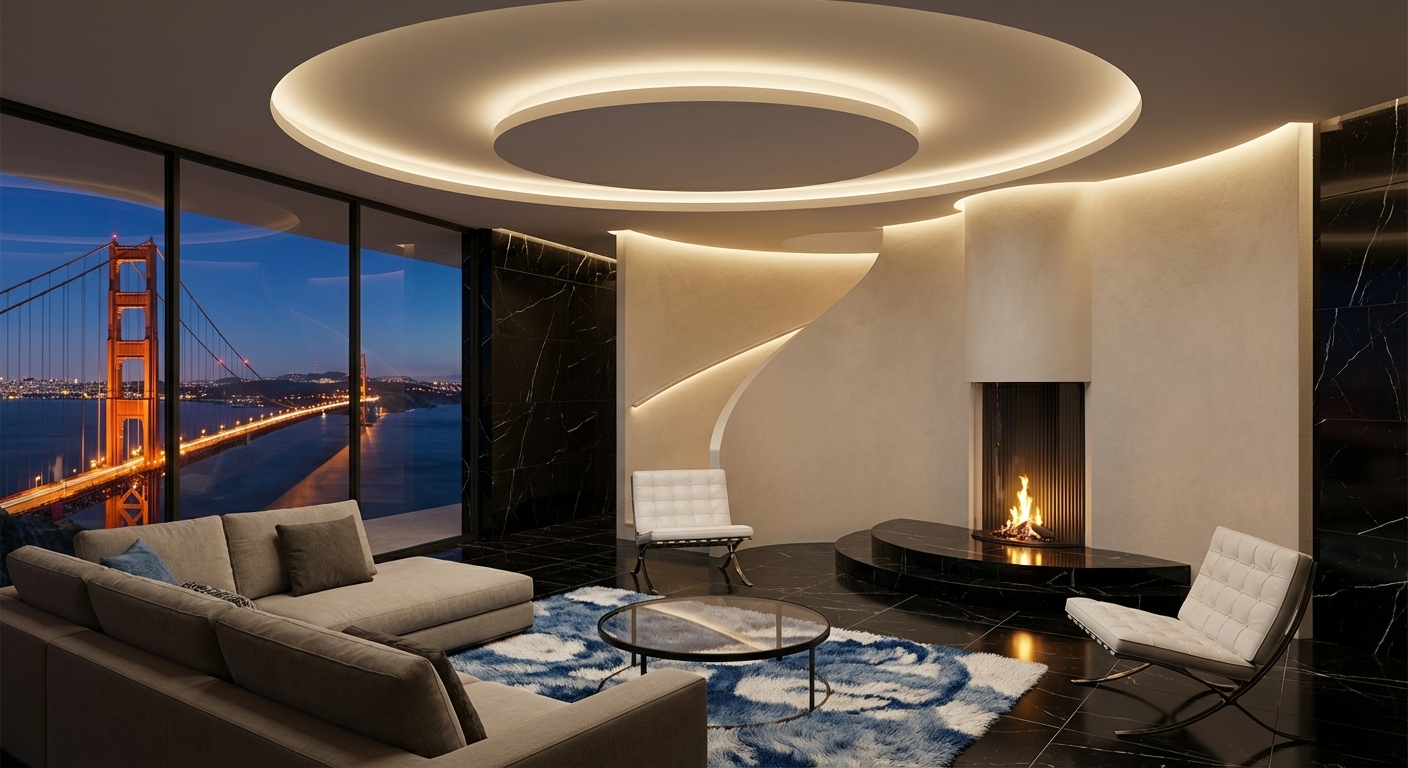
Virtually stagedVirtually staged living room
Virtually staged living room
Living room restyledStyle: Modern · architecture unchanged
3 looks to compareModern · Coastal · Scandinavian

Trusted by partners
Crate & Barrel RH Living Spaces Homary
Patent pending ⚡ Photo to staged view in minutes
Real Design2X results

From your photos to a published, shoppable listing.

A real property in Design2X: staged in the workspace, published at its own link, and shoppable photo by photo. Click any screen to see it full size.

1 · PrepareUpload photos, stage rooms, add videos and a briefing, and set the page header.
2 · PublishOne listing page with your headline, gallery, briefing and video, at a link that stays the same.
3 · ShopBuyers open a staged photo and shop similar pieces at Amazon and Living Spaces.
In minutesRestyle a room while the listing is still being written.
No moversNo furniture rental, delivery or pickup to coordinate.
10 stylesMatch the look to the neighborhood and the likely buyer.
Same houseWalls, windows, floors and fixtures stay exactly as photographed.
How it works

From listing photo to published, shoppable listing in five steps.

📷
STEP 1Upload photosCreate a property and add your listing photos. Phone photos work; tag untouched ones as Original.
🛋️
STEP 2Pick a styleRestyle the whole room in one of 10 design styles with a single click.
📍
STEP 3RefineRemove objects, place specific pieces and describe changes, guided right on the photo.
➕
STEP 4Add to projectSend the results you like straight into the property's photo list and caption them.
🏡
STEP 5PublishOne listing page with your headline, photos, video and briefing, at a link that stays the same.
Architecture preserved

Change the look, never the house.

Staging should show what a buyer can do with the space, not invent a different home. Design2X restyles only what moves: furniture, rugs, textiles, lamps, art and décor. Walls, windows, floors, cabinetry, built-ins and fixed lighting keep their shape, position and finish, and the camera angle stays the same.

  • Restyle only movable furniture and décor
  • Keep walls, windows, floors, built-ins and fixtures
  • Mark objects to remove, such as a dated recliner or clutter
42 Maple St · Living room
Sofa, chairs, rugs, lamps, artMovable furniture & décor
Restyled
Old recliner, side clutterMarked with Remove Object
Removed
Walls, windows, floor, fireplaceArchitecture & fixtures
Kept
Stage for the buyer

One room, several looks, so every buyer can picture themselves there.

A young family and a downsizing couple want different things from the same room. Restyle it in a few of the 10 built-in styles, compare the versions side by side in the Regenerated strip, and lead with the one that fits the home and the market.

  • 10 design styles applied to the whole photo in one click
  • Every version kept in the Regenerated strip to compare and download
  • Drag any result back onto the canvas to keep refining it
Design Style · Living room
Modern
Contemporary
Minimalist
Scandinavian
Mid-Century Modern
Industrial
Modern Farmhouse
Coastal
Bohemian
Traditional
Living roomBedroomDiningHome office
Plain-language editing

Point to it, or just say it.

No design software and no back-and-forth with a staging vendor. Describe the change in a short line, such as brighter and warmer, or a reading chair by the window. Plain-language editing is supplemented with our patent-pending visual guide: pin where an item should go, mark what to remove and outline surfaces right on the photo, so prompting is minimal to none. A style restyle needs no typing at all.

  • Pin, mark and outline on the photo instead of writing long prompts
  • Change furniture, materials, colors and lighting
  • Continue from any result instead of starting over
Visual guide · 42 Maple St · Living room
📍
Create Object“reading chair” pinned by the window
Add
✕
Remove Objectold recliner
Remove
▦
Surface coveraccent wall outlined in soft sage
Color
Room Intent (one short line)Brighter and warmer, keep the layout.
Your client's furniture, your fee

Place the exact piece, not just a style.

Upload a photo of a specific item, whether it's the seller's own sofa or a piece the buyer has fallen for, and place it at a pin in the room with Place Reference Object. Build a fully custom look around it and offer it as a service at the fee you set.

  • Place a specific piece from a reference photo
  • Work with the client's own furniture
  • Offer custom staging as a paid service
Place Reference Object
Client's grey sectionalReference photo uploaded
Placed
Walnut coffee tableReference photo uploaded
Placed
Rest of the roomStyled to match, architecture kept
Kept
Published listing page

One link that sells, and lets buyers shop the look.

Publish each property as its own page: your headline across the top, captioned photos with untouched ones labeled Original, walkthrough videos and a featured property briefing document. The link stays the same through every update, so you can put it on flyers, social posts and listing sites. Each staged photo is shoppable: buyers and homeowners tap Shop this photo to find similar items at Amazon and Living Spaces, and local stores can be added on request.

  • Your headline, captions, Original labels, videos and briefing
  • A shareable link that stays the same; updates included
  • Shoppable photos with Amazon and Living Spaces
  • A clear “Virtually staged” note on the page
design2x.ai/property/42-maple-st-…
Modern 3,000 sq ft home in a quiet, tree-lined neighborhood
Living roomSunlit living room with large windows
🛍 Shop this photo
Primary bedroomOriginal
Original
Property briefingWalkthrough videoAmazonLiving Spaces
Built for every listing

Wherever an empty or dated room is costing you showings.

🏚️

Vacant listings

Furnish empty rooms so buyers understand scale, flow and how the space lives.

🧺

Occupied homes

Remove distracting pieces and restyle without asking sellers to move out first.

🎨

Dated interiors

Show the same room in a current style while the architecture stays true to the home.

🔑

Rentals

Help prospective tenants picture the unit furnished.

🤝

Listing presentations

Win the listing by showing sellers how their home could be marketed.

🔗

Social & flyers

Share one listing link that stays the same everywhere you promote the home.

FAQ

Questions we hear often

What do I need to get started?

Your listing photos. They don't need to be professional; well-lit phone photos work. Create an account, add a property and upload the photos.

How much does it cost?

No credit card is needed to create staging materials. You pay a one-time $100 per property only when you publish it, and later updates to that property are included. See the pricing page for details.

Will it change the house itself?

No. Style restyles change only movable furniture and décor; walls, windows, floors, built-ins and fixed fixtures are kept, and the camera angle stays the same. Always review each result before you publish it.

Can it remove the seller's furniture?

Yes. Mark the items you want gone with Remove Object, then regenerate. For a full restyle, the chosen style replaces the existing movable furniture.

Which styles are available?

Modern, Contemporary, Minimalist, Scandinavian, Mid-Century Modern, Industrial, Modern Farmhouse, Coastal, Bohemian and Traditional.

How do buyers shop the photos?

On the published page, opening a photo shows Shop this photo, which lists the items found in that room with links to search Amazon and Living Spaces. Local stores can be added on request.

Do I need to disclose virtual staging in my listing?

Many MLSs and brokerages require virtually staged photos to be labeled, and some ask you to include the original photo too. Check your local rules. Published pages carry a virtual staging note, and you can label untouched photos as Original.

Can I try it before committing?

Yes. The free demo uses a sample property, with no sign-up.

Stage with Design2X

Your next listing, staged and shoppable.

Try the free demo now. No credit card is needed to prepare a property; you pay only when you publish.